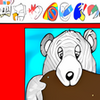
Fun digital coloring playground for kids with diverse pages, customizable images, and realistic painting tools
Fun digital coloring playground for kids with diverse pages, customizable images, and realistic painting tools
Vote (13 votes)
Program license Trial version
Developer Themagicbook
Version 7.0
Works under Windows
Vote
(13 votes)
Developer
Themagicbook
Works under
Windows
Program license
Trial version
Version
7.0
Pros
- Rich selection of coloring pages and creative tools
- Supports both online coloring and printing
- Fast image loading and responsive interface
- Custom image import expands creative options
- Child-friendly navigation and design
Cons
- Limited appeal for older children or advanced artists
- Does not include advanced editing features
- Content updates can depend on manual image imports
Digital coloring book for kids with interactive pages and creative tools.
Interactive Coloring Fun
The MagicBook is a digital coloring application designed to engage children with its variety of entertaining and artistic features. Offering a collection of themed pages reminiscent of classic animated characters, the program encourages creative expression while enhancing computer familiarity for younger users.
Wide Selection of Coloring Pages
The app provides a diverse assortment of coloring sheets, including storybook scenes, animal illustrations, and number-based puzzles that gently reinforce early math skills. The library caters to different tastes and age groups, ensuring there is always something new to color. Parents and guardians will appreciate the capability to print both blank and completed pages, making it possible to showcase finished works or provide offline activities.
Creative and Realistic Tools
The MagicBook includes four intuitive coloring tools that realistically mimic pencils, markers, paintbrushes, and fill options. Each tool allows children to produce varied visual effects, supporting both careful detail work and broad, expressive strokes. An improved color palette introduces an expanded range of shades, promoting experimentation and personal flair within the artwork.
Custom Content and Improved Management
A standout feature is the ability to import custom images. Children can select their favorite photos or scanned drawings and transform them into new coloring pages, vastly expanding the possibilities for creative play. The recently updated picture management window streamlines the process of adding, viewing, and deleting images, making navigation more user-friendly for children and adults alike.
Performance and Accessibility
Pictures now load immediately, eliminating delays that could dampen engagement. The streamlined interface is purpose-built for younger users, with large, clearly labeled icons and minimal text. This accessibility lowers the barrier for entry and helps children develop confidence in using basic digital tools independently.
Ideal for Creative Play
The MagicBook offers a safe, mess-free alternative to traditional coloring books and supplies. There are no worries about cleaning up after a creative session, nor about losing crayons or markers. The program’s combination of print and digital options makes it versatile for home and classroom environments.
Pros
- Rich selection of coloring pages and creative tools
- Supports both online coloring and printing
- Fast image loading and responsive interface
- Custom image import expands creative options
- Child-friendly navigation and design
Cons
- Limited appeal for older children or advanced artists
- Does not include advanced editing features
- Content updates can depend on manual image imports